
Redesigning a Complex Onboarding
Role: Senior UX researcher and designer
Timeline: November 2025 — April 2026
Overview: In late 2025, I had recently been brought onto the DIGITIVA team within Astellas Pharma’s Business Accelerator. One of my first major tasks was improving a key flow in their mobile app of taking a heart health recording with a paired digital stethoscope. Over the course of nearly six months, I spent time understanding how our user’s used the app and digital stethoscope to take their recording, redesigning the flow, and testing and validating the updated experience.
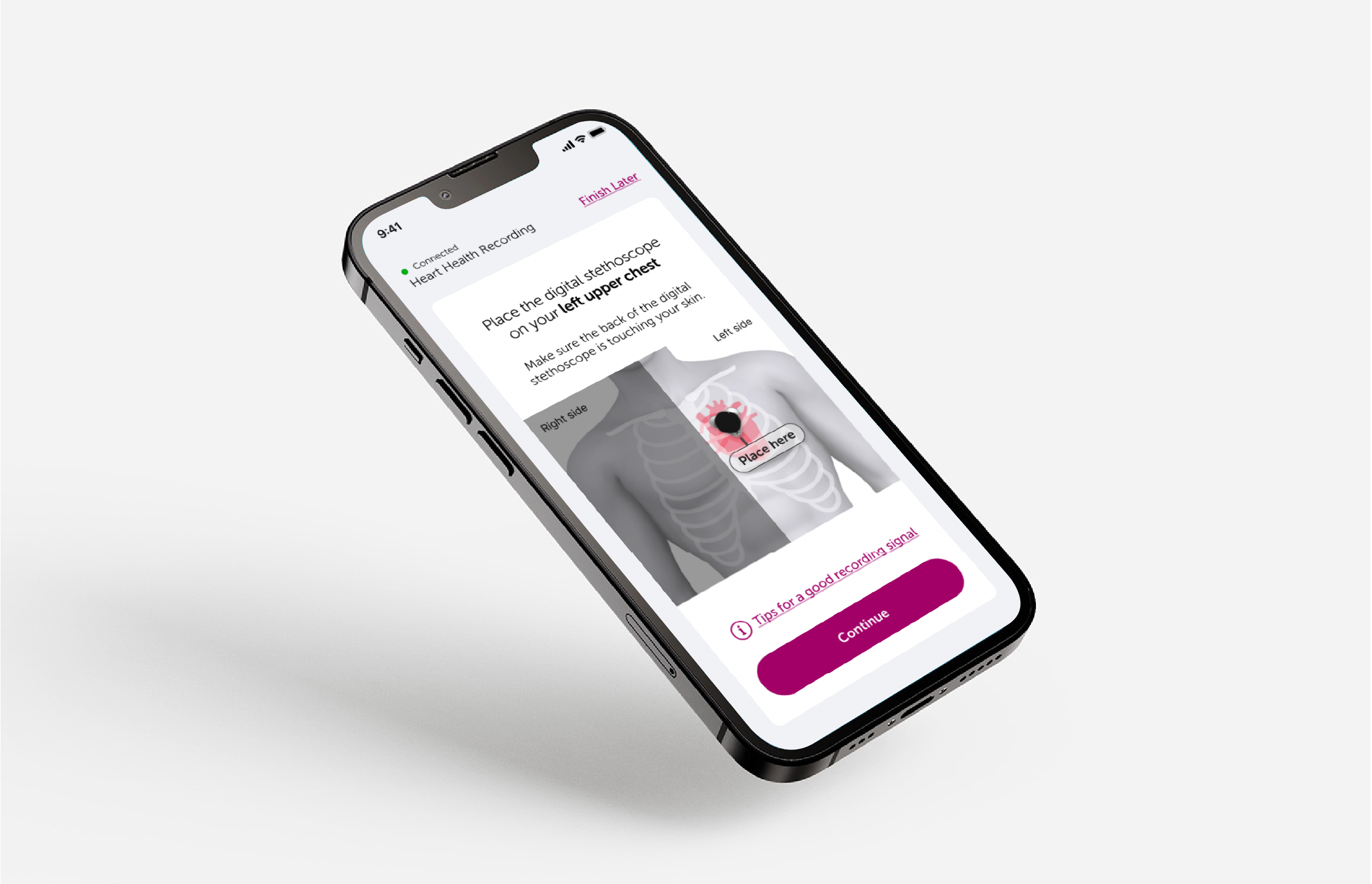
The problem:
DIGITIVA patients used the Eko CORE 500 digital stethoscope paired with a mobile health app to take heart health recordings and input daily symptoms to passively generate health reports for their doctors to review.
After being in the hands of patients for nearly a year, our data showed that over 65% of heart health recordings were not clinically usable. Also, our users, who were mostly elderly heart failure patients, had difficulties during onboarding and required individualized assistance. To improve patient outcomes and save healthcare utilization cost for our customers, I was tasked with updating the recording user experience to generate more usable heart health recordings.
The solution:
I worked cross-functionally with our medical advisors and spoke directly with our users to reduce the time spent onboarding and taking a heart health recording.
This user experience was updated to reduce cognitive load for our elderly population by limiting instructions to the most essential information, making the artwork style more impactful and in line with users’ mental models, and simplifying the overall flow of the interactions.
Impact:
15-20% improvement in successful heart health recordings
75% successful heart health recordings amongst new users
Strong preference towards the updated artwork, instructions, and interface flow from current users
Understanding the problem
The flagship feature of the DIGITIVA service for our users, taking a heart health recording, was generating lots of data for their doctors. We had an issue though; they were telling us that the recordings from their patients were often low quality and they couldn’t make a clear diagnosis.
For a high quality recording, we needed our elderly users to receive strong PCG and ECG tracings from the connected device, the Eko CORE 500 digital stethoscope, which was proving difficult. Our data showed that ~65% of the heart health recordings from our users were low quality.
We observed eight non-experienced participants in user testing and conducted live training sessions with actual users.
We discovered the following high-level common use errors and pain points from these activities:
As much as 25% of users were placing the digital stethoscope in the wrong location when taking a recording due to confusing instructions or incorrect assumptions.
One user said “I placed it there because I thought it should be closest to my heart,” even though it was incorrectly placed for one of the recording locations (see heart health recording locations image).
Users received conflicting troubleshooting instructions when they had an unsuccessful heart health recording attempt.
User feedback suggested that the onboarding had a high cognitive load which unnecessarily complicated the process.
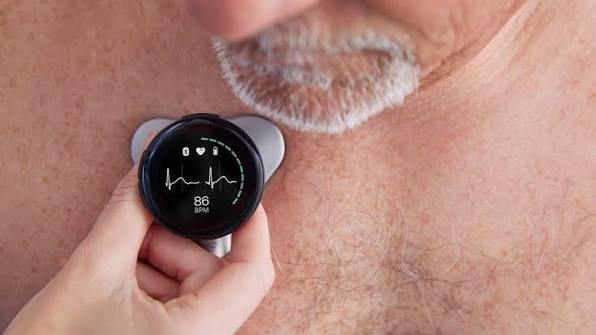
User taking a heart health recording with the Eko CORE 500 digital stethoscope
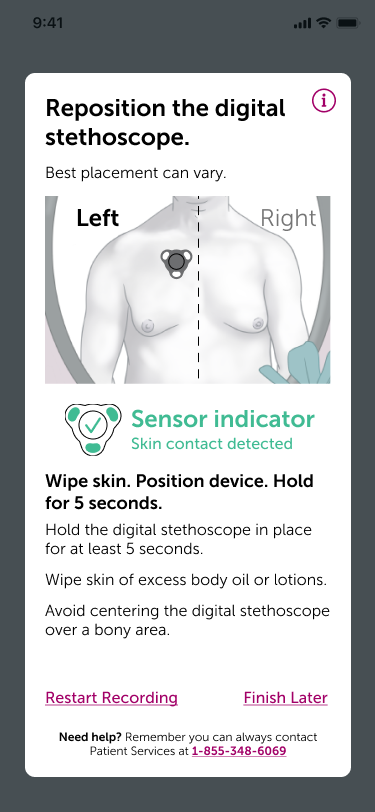
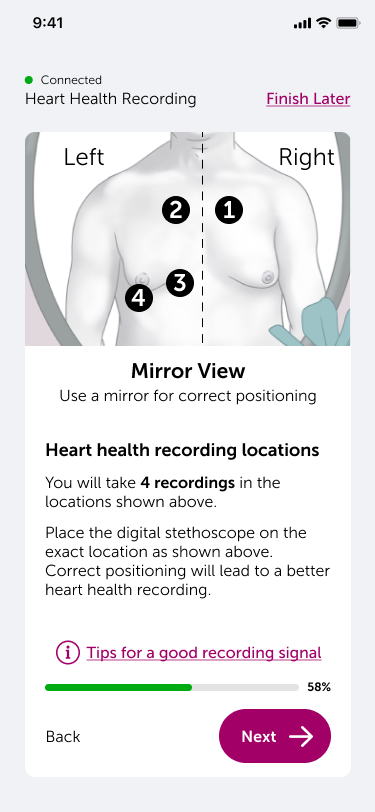
Original DIGITIVA app screens (Left: heart health recording locations, right: troubleshooting)
Making a pivot
One of the key findings in our heart health recording data analysis was that the most critical information for the doctors could only be found in two of our four recording locations. Thus, in conversation with our subject matter experts in medical, legal, and risk, we decided to reduce the recording locations down from four to just one in an effort to make the heart health recording more successful for patients and doctors.
We chose to use the upper left chest area as the sole recording location due to its ease in getting high quality recordings, the ability to retrieve all necessary data for doctors, and close association for users with their heart location.
Brainstorming and wireframing
After identifying that users were incorrectly placing the digital stethoscope, confused by troubleshooting, and overloaded with instructions as the three key pain points with the DIGITIVA user experience, I started working through the new user flow and from there moved into brainstorming and wireframing the following solutions:
Increase clarity of the digital stethoscope recording location by using anatomical markers and no longer showing a mirror image.
I observed during our studies was that users were not performing recordings in front of a mirror as instructed. This was mostly out of convenience, according to our users.
Funnel users into contextual troubleshooting instructions.
Make images more prominent and limit instructional text to the bare minimum.
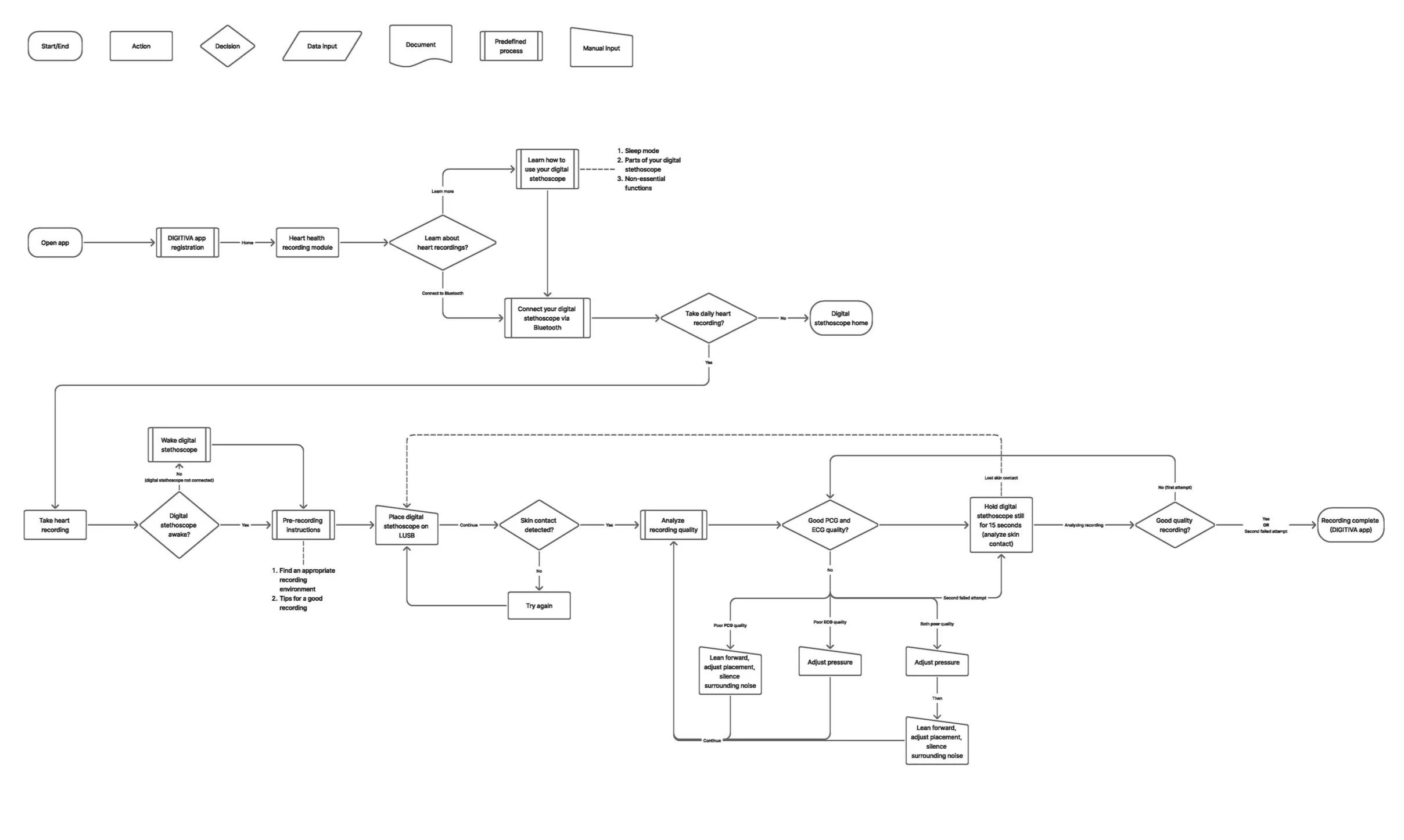
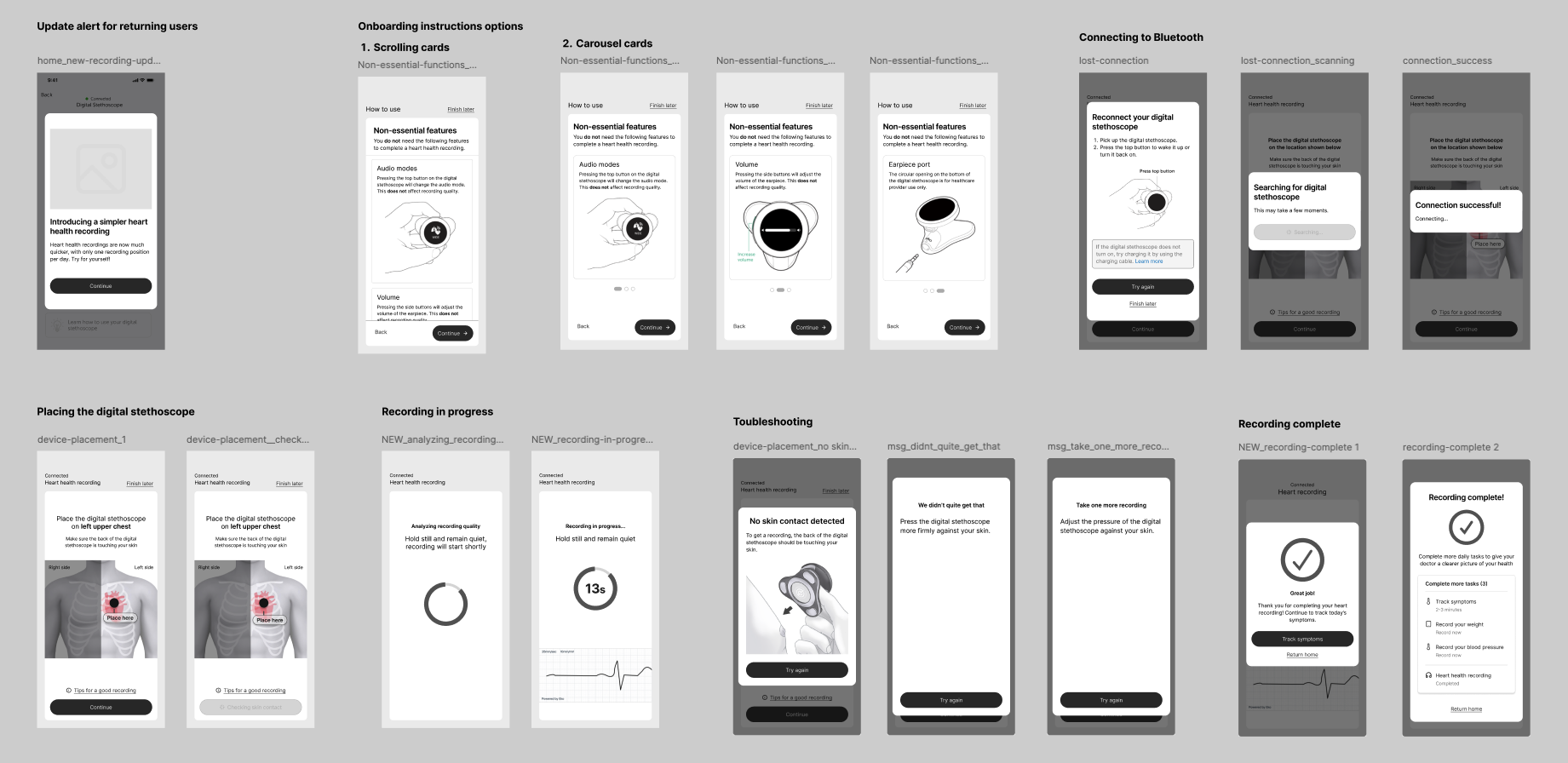
Once I had shared the medium fidelity wireframes with my team for review, we aligned on the direction and began development of high fidelity screens for our developers to build for QA testing which would be utilized for in-person usability testing I was going to conduct. These screens had to adhere to the DIGITIVA visual brand identity while maintaining accessibility and clear information hierarchy to maximize the onboarding instructions.
Please see the before and after versions of key screens in the onboarding flow below.
Going to high fidelity
Value proposition
Before
After
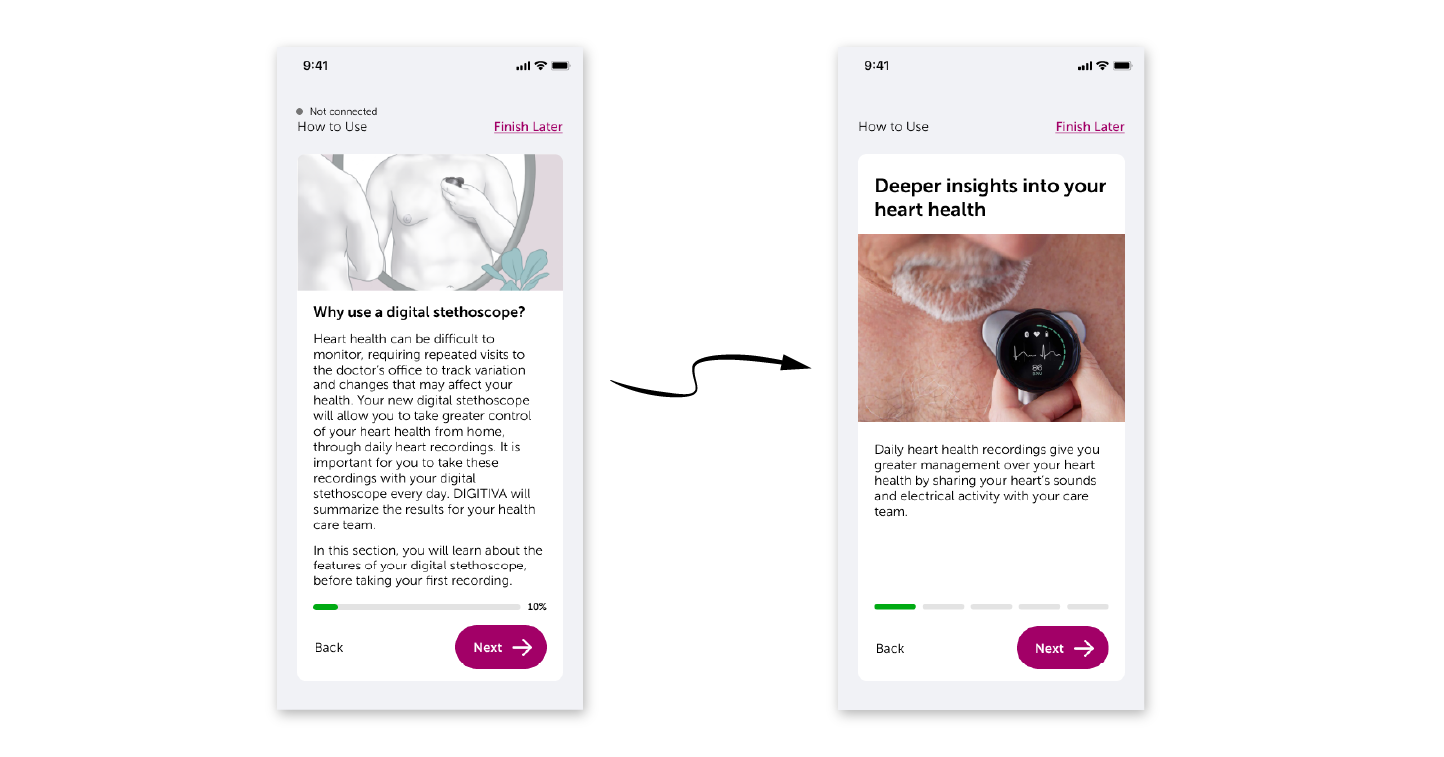
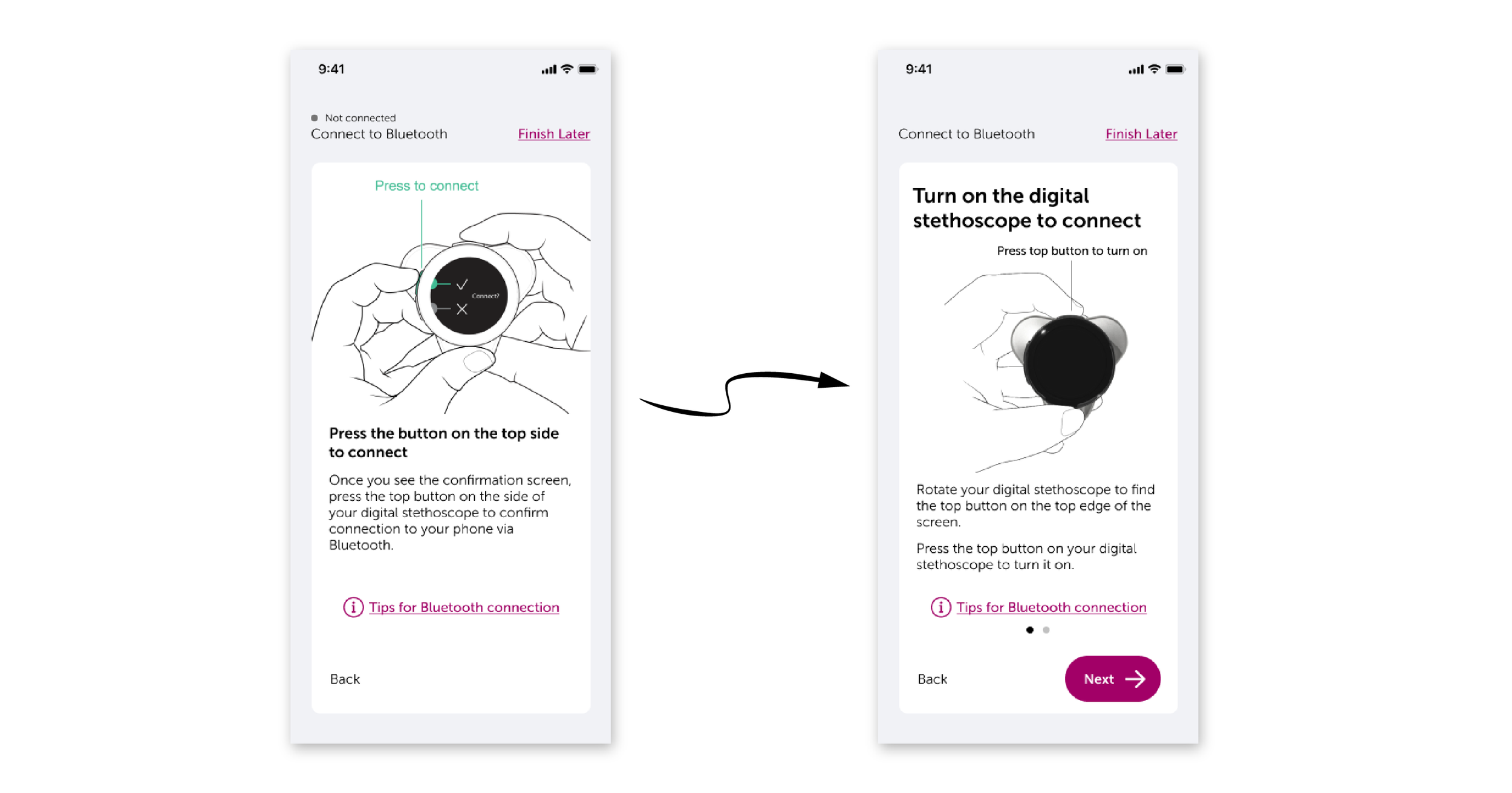
Onboarding instructions
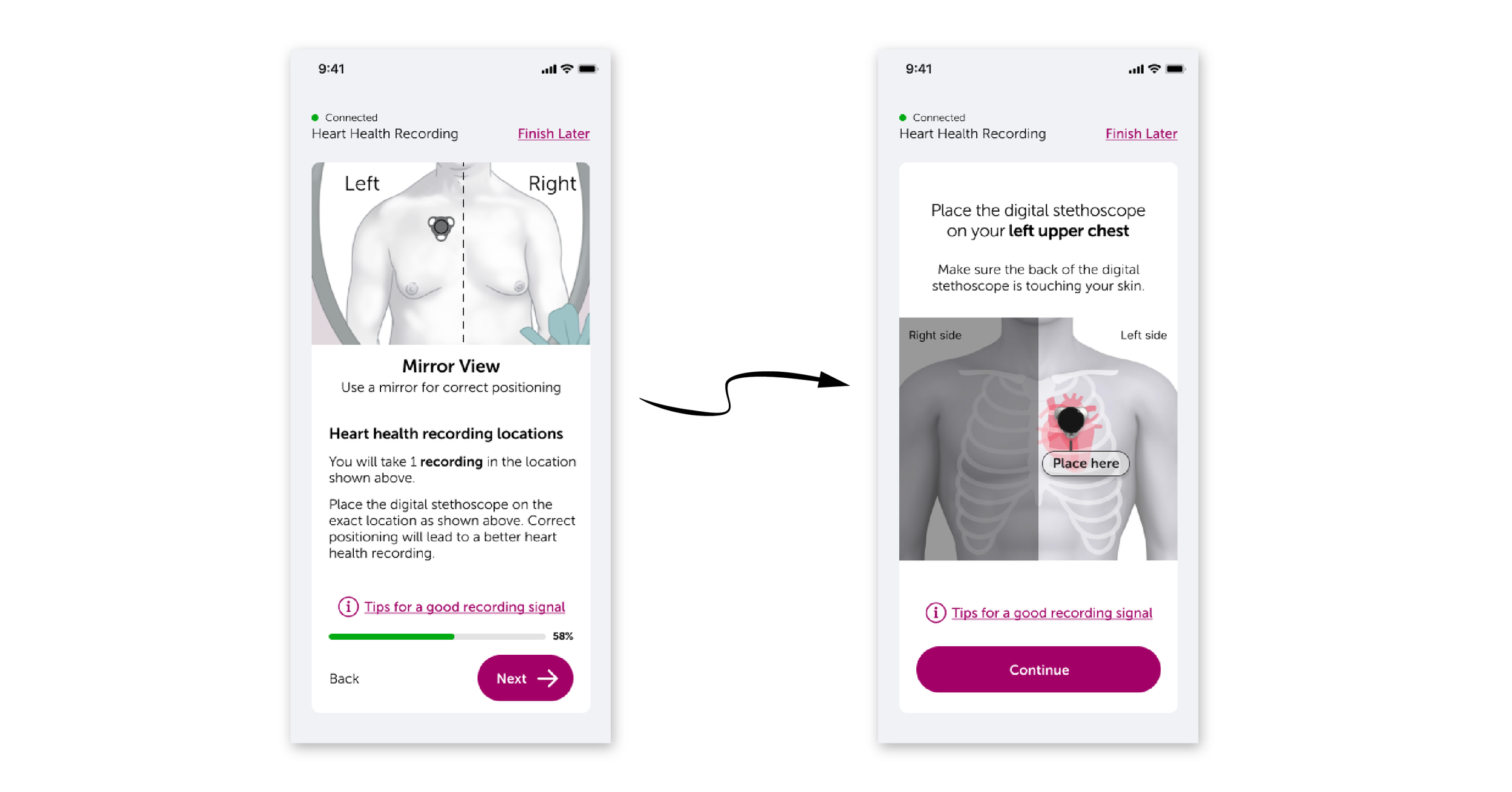
Digital stethoscope placement
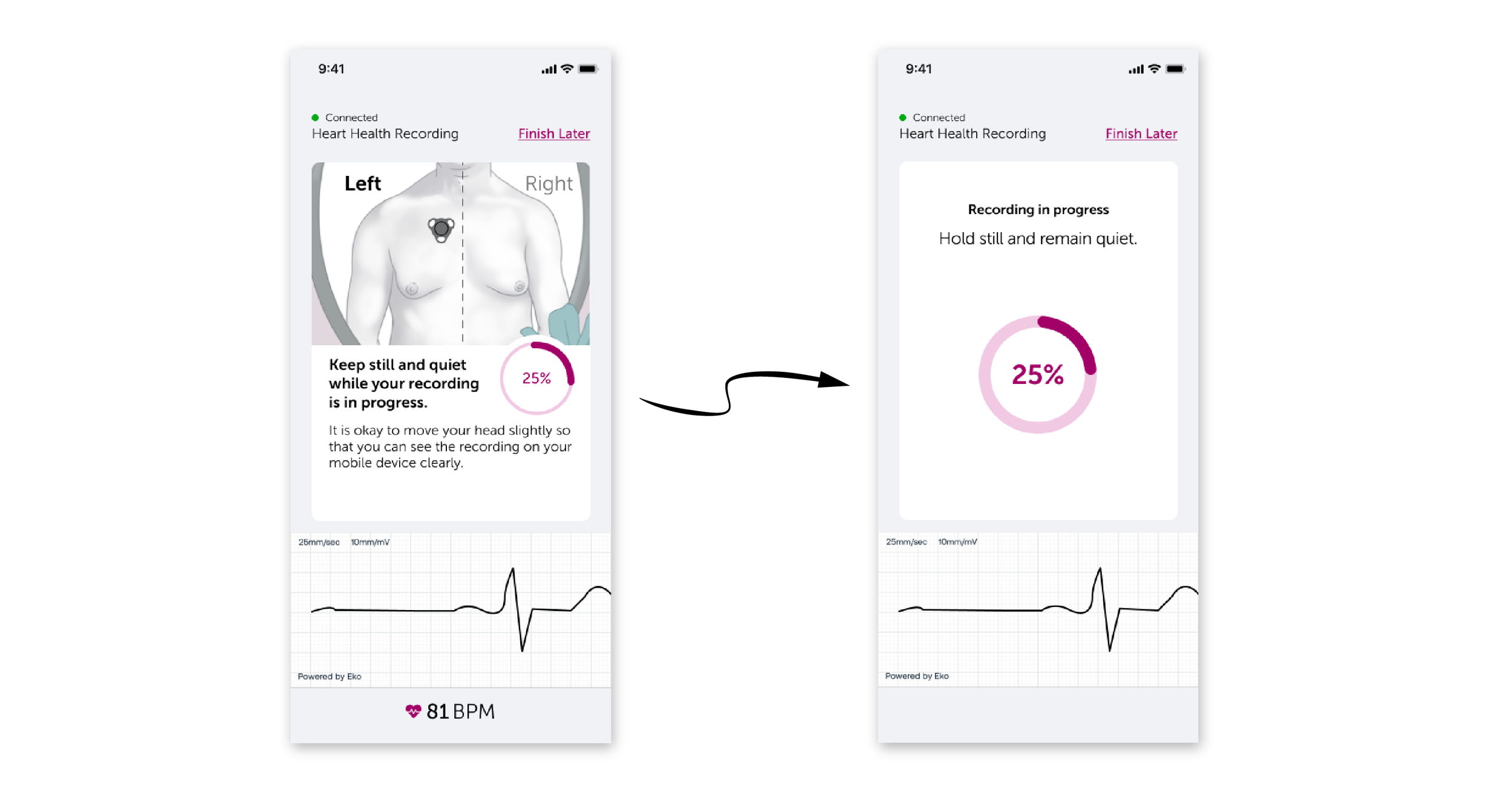
Recording in progress
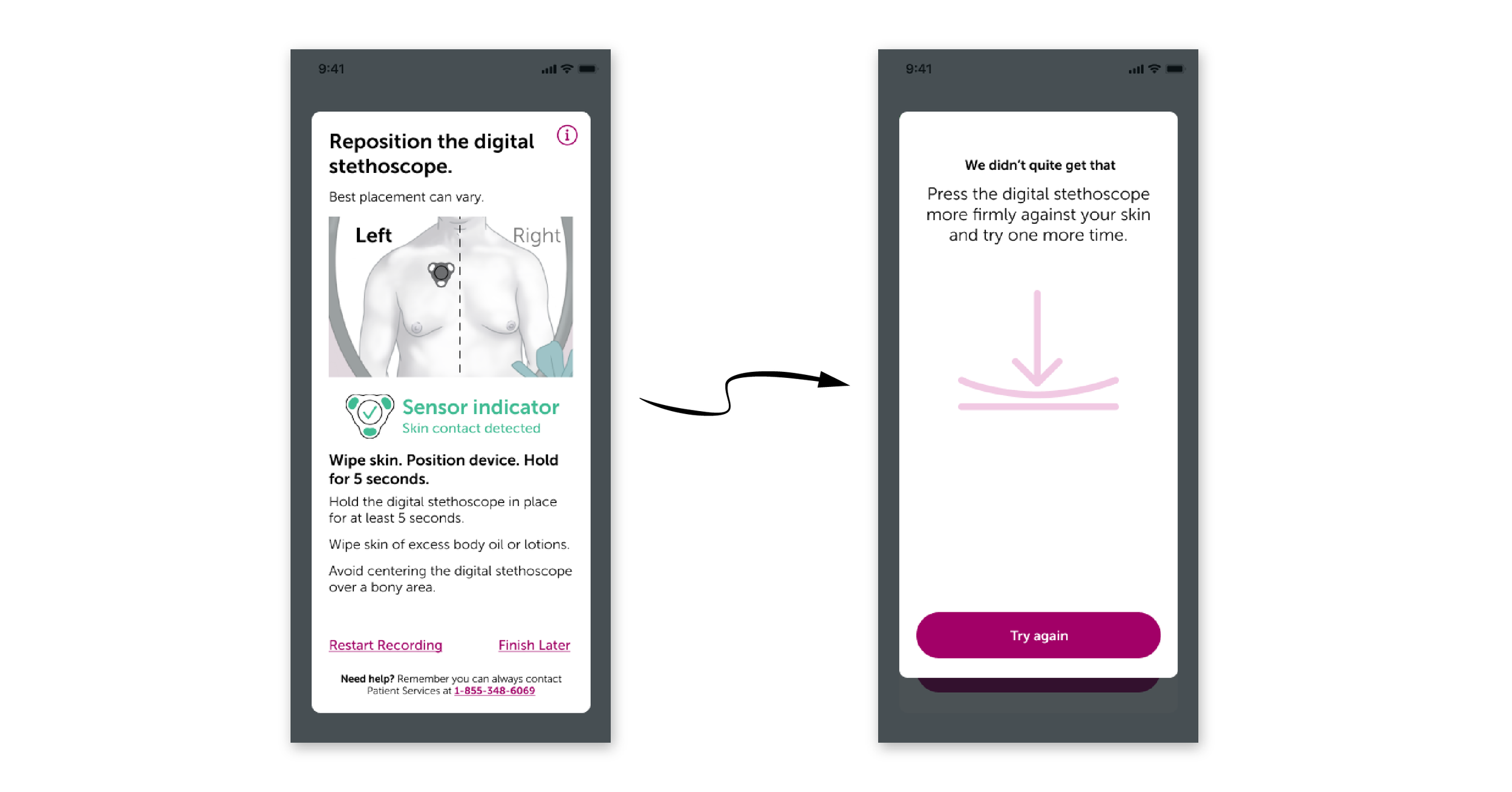
Recording troubleshooting
Usability testing and results
I conducted in-person moderated usability testing in Palm Springs with 10 participants to evaluate the effectiveness of the user experience updates. The details of the testing were as follows:
DIGITIVA experience: 50% experienced, 50% naive
Average age: 76 years old
Participant groups: Patient only, dyad (patient and caregiver)
Testing scenarios: Simulated use (x2), knowledge assessment, feedback
Study results:
Overall, the study results were overwhelmingly positive. However, we did encounter several bugs that would need to be addressed before release.
Positives:
Naive participants were very successful compared to the previous version of the onboarding and recording with a 75% successful recording rate.
All five naive participants placed the digital stethoscope in the correct location, a significant improvement from prior studies.
All experienced users stated that they strongly preferred the new updates to DIGITIVA and appreciated not having to remove clothes for the recording.
Areas for improvement:
There were some bugs that needed to be fixed when connecting the digital stethoscope to Bluetooth and taking a recording.
Some experienced users placed the digital stethoscope on the first location from the previous version of the recording process due to their mental model.
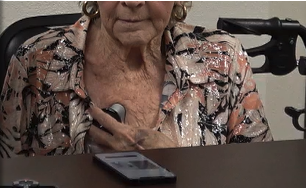
Experienced participant taking a recording
Next steps
Shortly after the completion of this usability study, Astellas Pharma shut down the Business Accelerator unit due to financial considerations despite the success of DIGITIVA for patients. However, we had plans for what we would have done following this study.
Monitor heart health recording quality and success rates at scale
Reduce bugs in connecting the digital stethoscope to Bluetooth, recording process
Roll out a new feature highlight for current users to ensure they are aware of recording location changes